 PJHTech Images
PNG or SVG for a logo?
Use SVG when the logo is genuine vector artwork and the destination accepts it. Use PNG when you need a raster copy, including a transparent one.
Vector and raster scaling
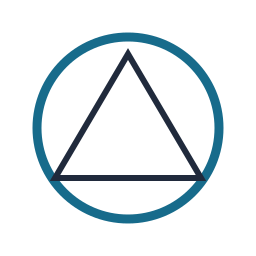

The vector keeps smooth edges when enlarged. The 32 × 32 raster shows square steps with nearest-neighbor enlargement; other resizing methods can soften those steps.
Settings and measurements
| File | Dimensions | Bytes | Export settings |
|---|---|---|---|
| vector-shape.svg | 256 × 256 | 302 | Default |
| raster-shape-enlarged.png | 256 × 256 | 847 | Optimize: True |
Python 3.14.4, Pillow 13.0.0, Platform Linux, Webp 1.6.0, Jpeg 6.2, Avif 1.4.2
Start with the source
A logo supplied as paths can be resized for different uses. A small bitmap wrapped in an SVG file still contains the same limited picture.
Hand over the right file
For a PNG, export enough pixels for its intended size. For an SVG, check that fonts and other resources will still work on the recipient's system.
Keep the vector original. Name the raster copy clearly, for example logo-600px.png.
Related guides
Sources
- W3C: SVG 2 specification
- W3C: PNG specification