 PJHTech Images
Image examples and test method
These examples use original test graphics, not stock photos or a collection of typical camera images.
What we compare
Each comparison changes one stated setting or format. The source dimensions, output file size and relevant encoder settings appear with the example. Open the original files to inspect them without the page's display scaling.
What the results mean
These are demonstrations of particular effects. They do not establish a universal winner between formats or predict the smallest file for your photos. Quality slider numbers are not comparable across encoders.
Reproduce an example
Download the sample source and use the recorded settings. Different software versions can produce different bytes. The measurements shown here describe the supplied files.
Text and compression
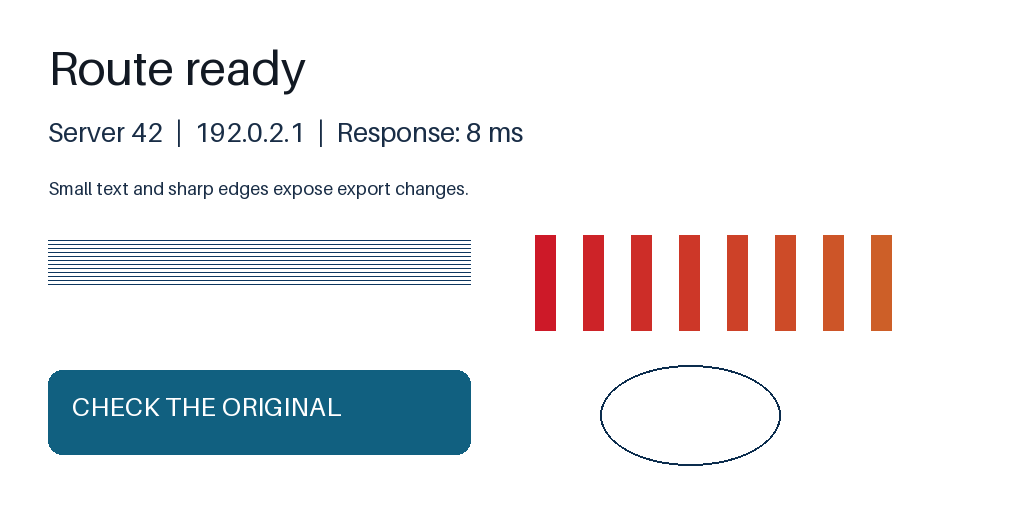
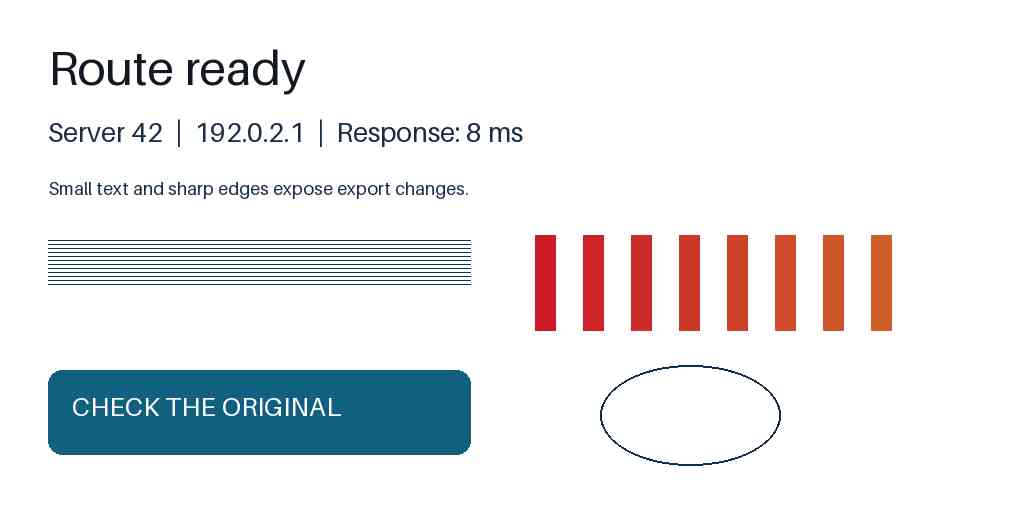
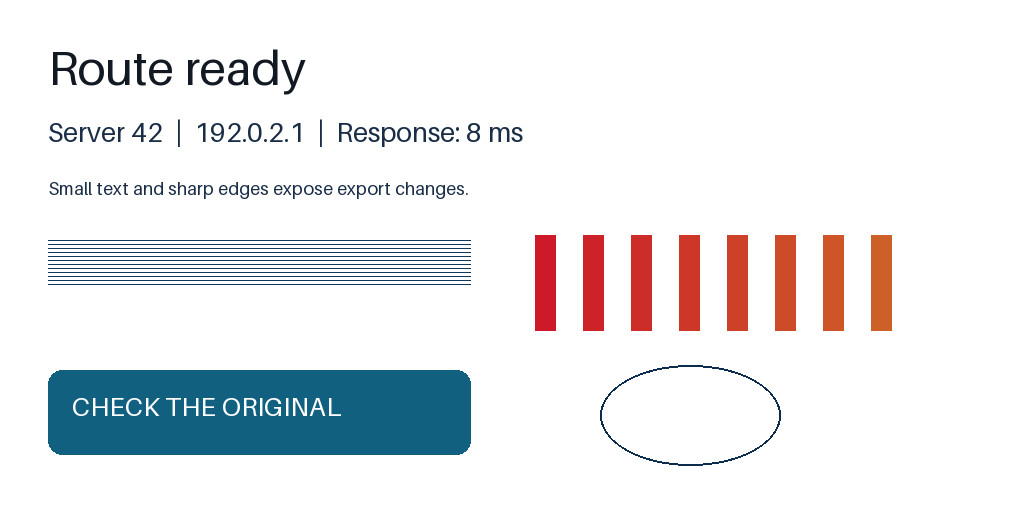
Look for speckles around letters and blurred colored edges in the quality-30 JPEG. Both JPEG quality and color sampling differ here; this is not a quality-only comparison. Open the full-size views to see the differences.
Compare at full size
Source PNG
JPEG: quality 30, 4:2:0
JPEG: quality 90, 4:4:4
Settings and measurements
| File | Dimensions | Bytes | Export settings |
|---|---|---|---|
| text-source.png | 1024 × 512 | 22,860 | Optimize: True |
| text-jpeg-q30.jpg | 1024 × 512 | 19,828 | Quality: 30, Subsampling: 2, Optimize: True |
| text-jpeg-q90.jpg | 1024 × 512 | 57,293 | Quality: 90, Subsampling: 0, Optimize: True |
Python 3.14.4, Pillow 13.0.0, Platform Linux, Webp 1.6.0, Jpeg 6.2, Avif 1.4.2
Transparency on different backgrounds



The grid marks transparent areas; it is not part of the PNG. The blue shape is partly transparent, so its color changes with the background. The white center is opaque and stays white.
Settings and measurements
| File | Dimensions | Bytes | Export settings |
|---|---|---|---|
| alpha-source.png | 450 × 300 | 13,126 | Optimize: True |
| alpha-on-white.png | 450 × 300 | 11,183 | Optimize: True |
| alpha-on-dark.png | 450 × 300 | 10,552 | Optimize: True |
Python 3.14.4, Pillow 13.0.0, Platform Linux, Webp 1.6.0, Jpeg 6.2, Avif 1.4.2
A gradient reduced to eight colors


Reducing this gradient to eight colors turns the smooth transition into bands. Dithering is off here; other GIF exports can use more colors and dithering.
Settings and measurements
| File | Dimensions | Bytes | Export settings |
|---|---|---|---|
| gradient-source.png | 768 × 192 | 793 | Optimize: True |
| gradient-eight-colors.gif | 768 × 192 | 3,155 | Optimize: False |
Python 3.14.4, Pillow 13.0.0, Platform Linux, Webp 1.6.0, Jpeg 6.2, Avif 1.4.2
Crop or fit
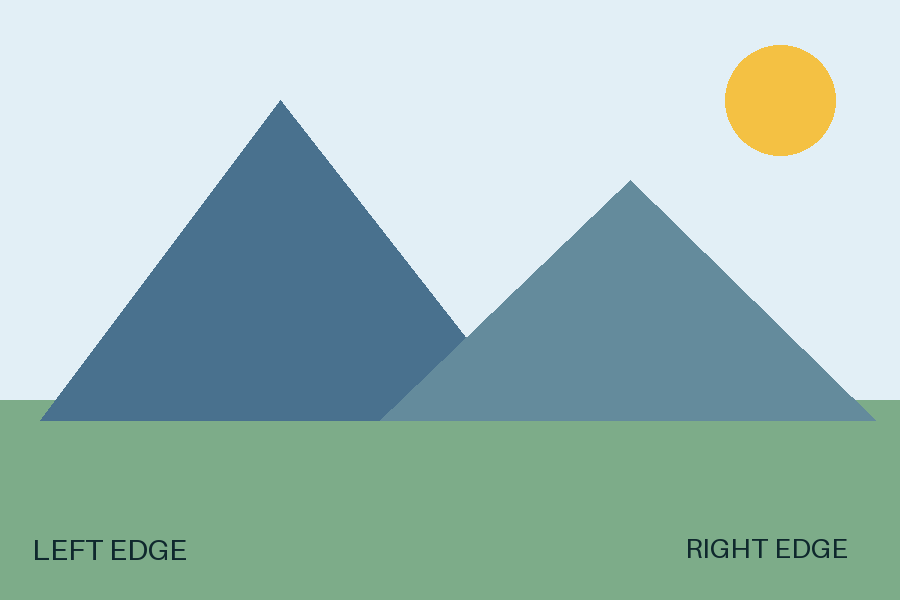
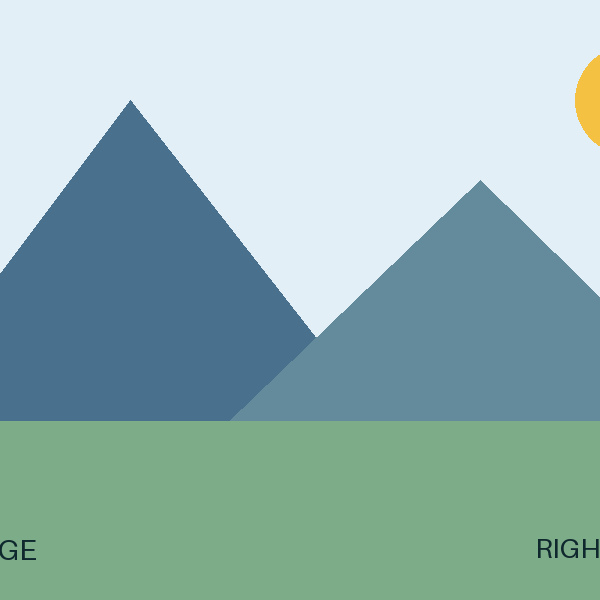
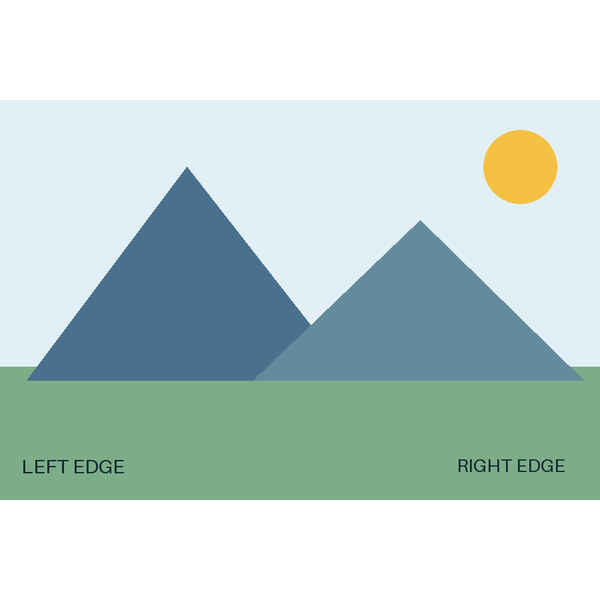
The square crop cuts off the side labels and part of the sun. Fit keeps the whole picture and adds white space above and below.
Settings and measurements
| File | Dimensions | Bytes | Export settings |
|---|---|---|---|
| composition-3x2.png | 900 × 600 | 7,461 | Optimize: True |
| composition-square-crop.png | 600 × 600 | 5,156 | Optimize: True |
| composition-square-fit.png | 600 × 600 | 16,283 | Optimize: True |
Python 3.14.4, Pillow 13.0.0, Platform Linux, Webp 1.6.0, Jpeg 6.2, Avif 1.4.2
Enlarging a small source

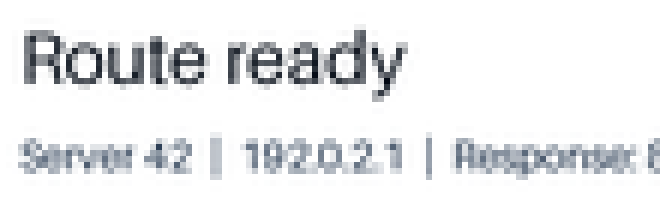

The source is shown at its original size. Nearest-neighbor enlargement makes square pixels visible; bicubic makes smoother, softer edges. Neither restores the lost letter detail.
Settings and measurements
| File | Dimensions | Bytes | Export settings |
|---|---|---|---|
| small-source.png | 110 × 33 | 3,741 | Optimize: True |
| upscale-nearest.png | 660 × 198 | 6,057 | Optimize: True |
| upscale-bicubic.png | 660 × 198 | 59,138 | Optimize: True |
Python 3.14.4, Pillow 13.0.0, Platform Linux, Webp 1.6.0, Jpeg 6.2, Avif 1.4.2
Vector and raster scaling


The vector keeps smooth edges when enlarged. The 32 × 32 raster shows square steps with nearest-neighbor enlargement; other resizing methods can soften those steps.
Settings and measurements
| File | Dimensions | Bytes | Export settings |
|---|---|---|---|
| vector-shape.svg | 256 × 256 | 302 | Default |
| raster-shape-enlarged.png | 256 × 256 | 847 | Optimize: True |
Python 3.14.4, Pillow 13.0.0, Platform Linux, Webp 1.6.0, Jpeg 6.2, Avif 1.4.2
Orientation is stored separately
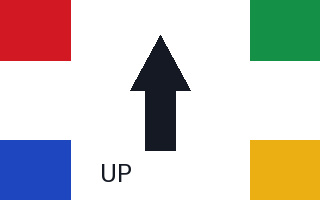
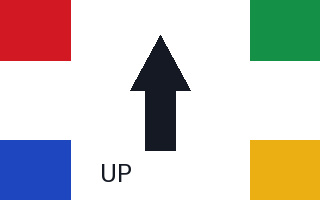
Both files store the same 320 × 200 pixels. Orientation 6 tells the browser to rotate them 90° clockwise, so the arrow points right and the displayed size becomes 200 × 320.
Settings and measurements
| File | Dimensions | Bytes | Export settings |
|---|---|---|---|
| orientation-1.jpg | 320 × 200 | 8,068 | Quality: 95, Subsampling: 0 |
| orientation-6.jpg | 320 × 200 | 8,068 | Quality: 95, Subsampling: 0 |
Python 3.14.4, Pillow 13.0.0, Platform Linux, Webp 1.6.0, Jpeg 6.2, Avif 1.4.2