 PJHTech Images
What is a JPEG file?
JPEG is a common choice for photographs. The usual JPEG export trades some image detail for a smaller file. JPG and JPEG are two extensions for the same format.
When to use it
Use JPEG for photos when the app or website accepts it. Keep the original and export a separate copy for sharing.
What to check
Check small text, fine lines and sharp color edges after export. Compression often shows there first.
Text and compression
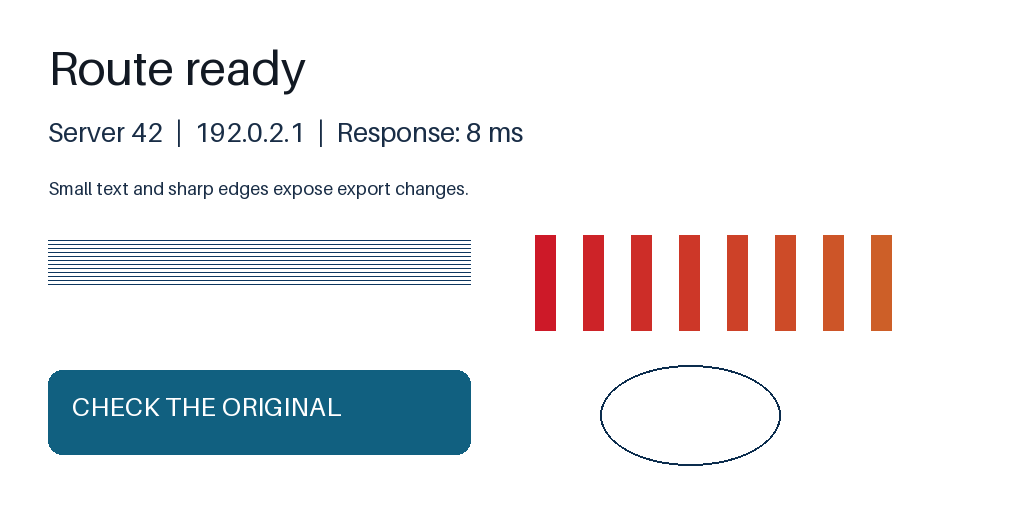
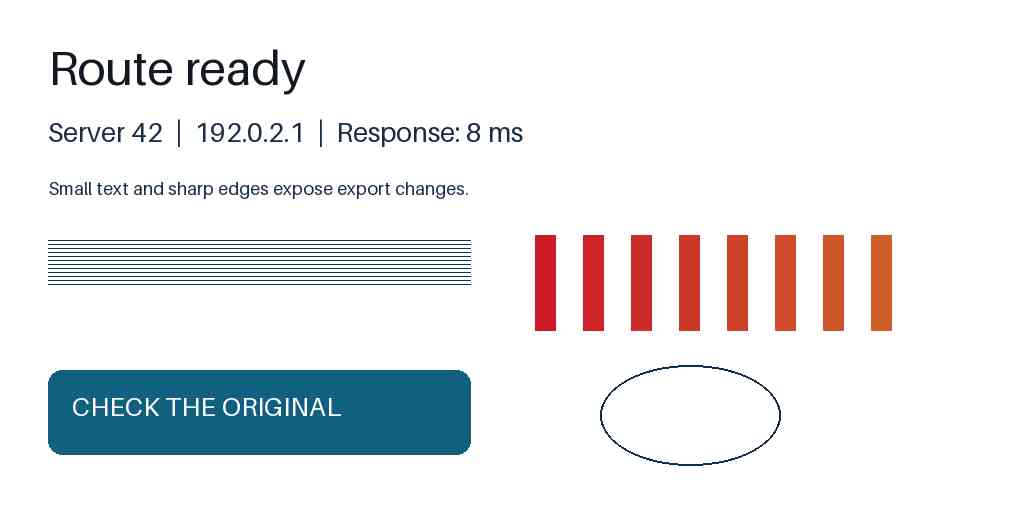
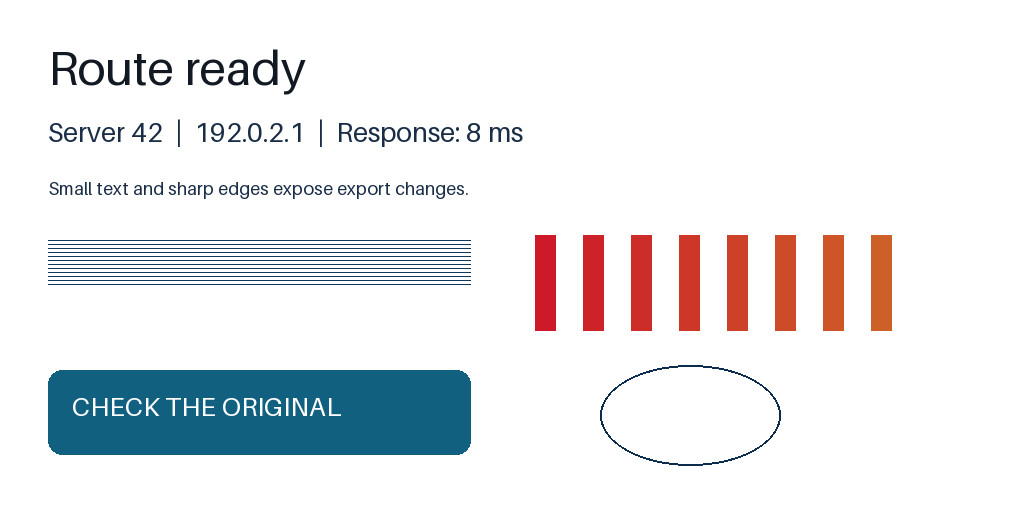
Look for speckles around letters and blurred colored edges in the quality-30 JPEG. Both JPEG quality and color sampling differ here; this is not a quality-only comparison. Open the full-size views to see the differences.
Compare at full size
Source PNG
JPEG: quality 30, 4:2:0
JPEG: quality 90, 4:4:4
Settings and measurements
| File | Dimensions | Bytes | Export settings |
|---|---|---|---|
| text-source.png | 1024 × 512 | 22,860 | Optimize: True |
| text-jpeg-q30.jpg | 1024 × 512 | 19,828 | Quality: 30, Subsampling: 2, Optimize: True |
| text-jpeg-q90.jpg | 1024 × 512 | 57,293 | Quality: 90, Subsampling: 0, Optimize: True |
Python 3.14.4, Pillow 13.0.0, Platform Linux, Webp 1.6.0, Jpeg 6.2, Avif 1.4.2
A normal JPEG does not retain a transparent background. Choose the background color before exporting, or use a format that supports transparency.
Save from the original
Export from the original. Repeated JPEG saves can lose more detail.
Related guides
- JPEG or PNG: which should you use?
- Why does text look blurry in an image?
- Why did an image get larger after conversion?
Sources
- JPEG committee: JPEG 1 overview
- MDN: Image file type and format guide